Product · Automations
Automate the routine. Keep the human part.
Greet visitors at the right moment, sort questions with a visual bot and send each conversation to the right person. The moment a teammate replies, automation steps aside for good.
Highlights
Say hello at the right moment
Trigger a message by page, time on page or site, visit count, device, referrer or segment — at most once per visitor, visit or page view.
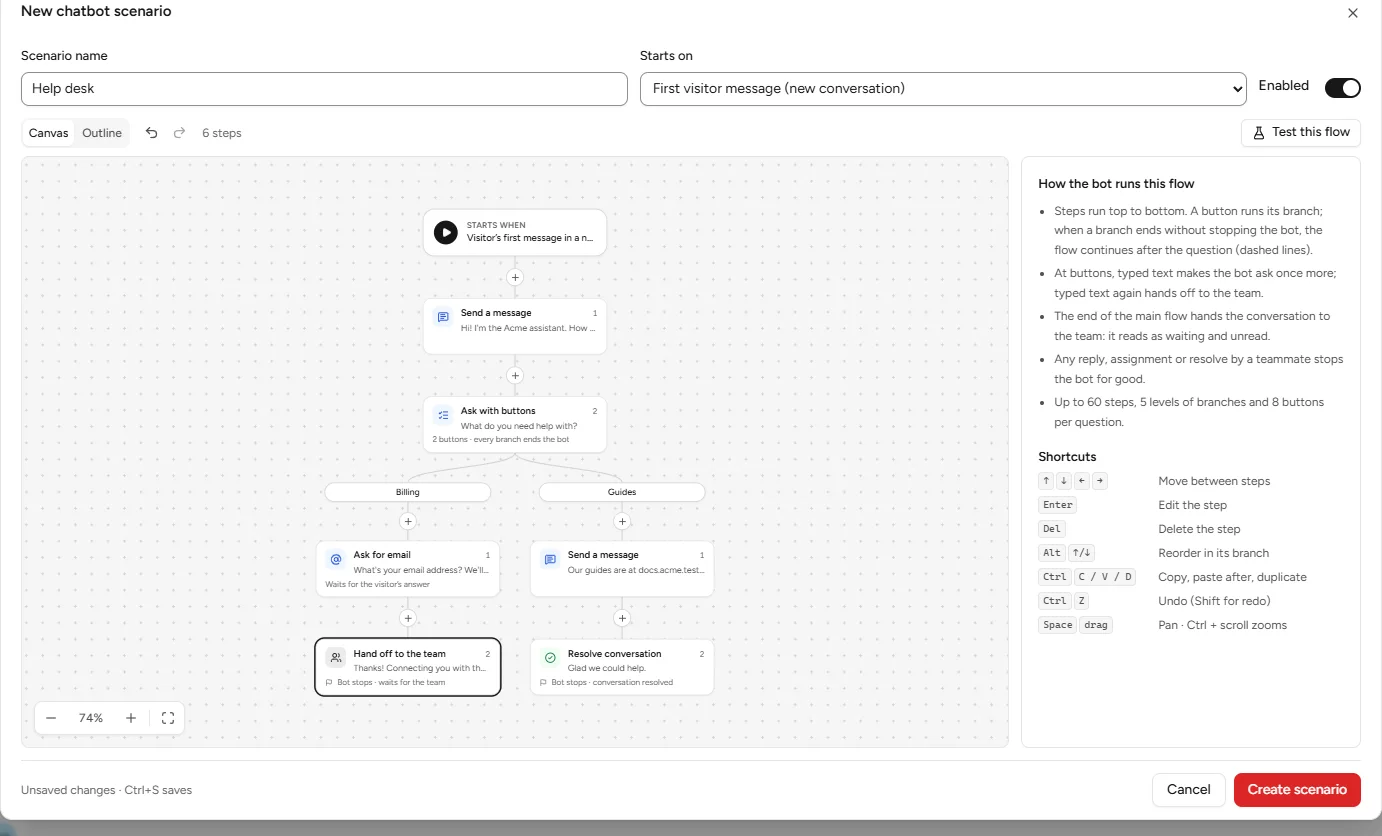
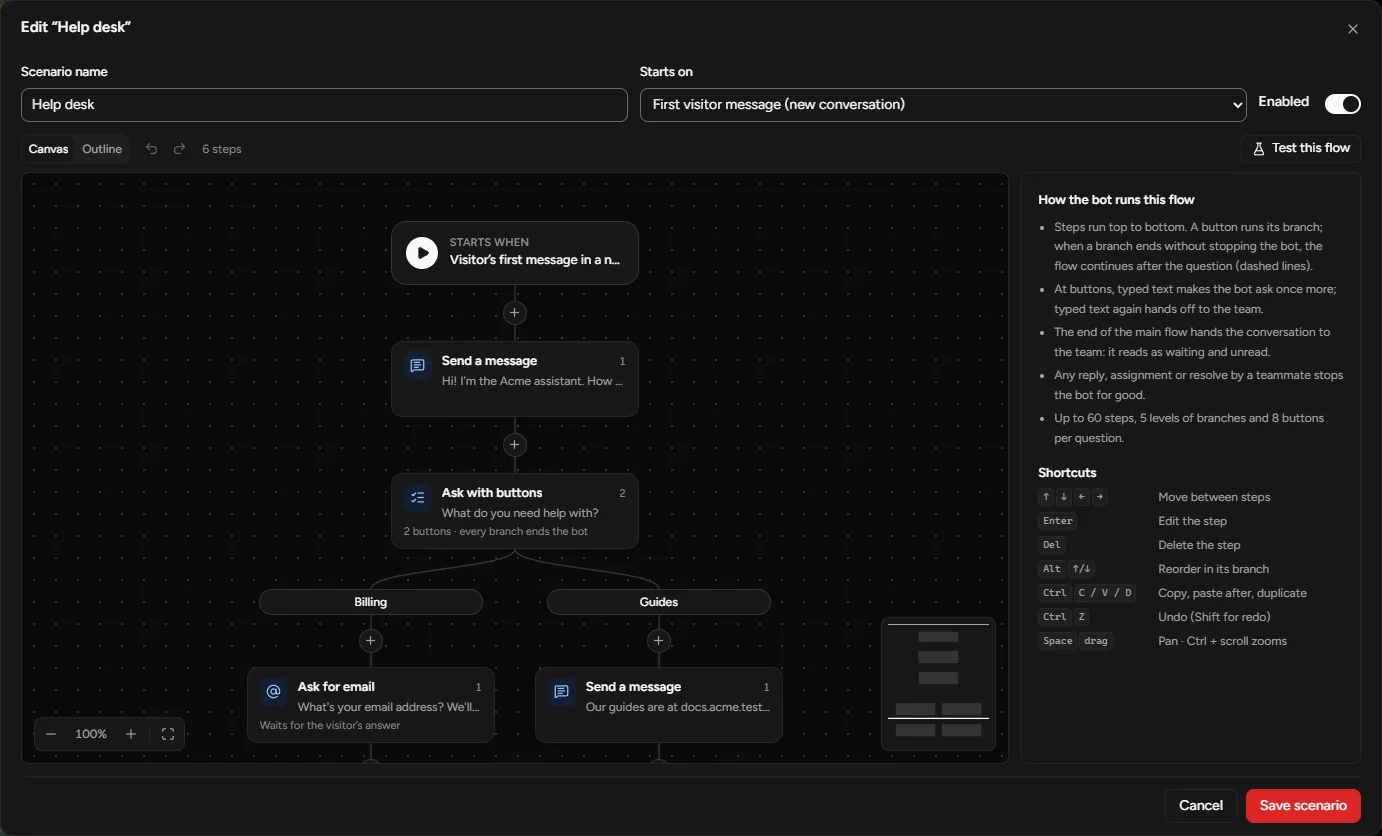
Sort questions on a canvas
Messages, buttons, collect an email or an answer, set a segment, assign, hand off — and test the flow before you publish.
Route to the right person
Routing rules pick a person or department by segment, page or verified identity; departments assign round-robin.
The real builder
Steps run top to bottom; a button runs its branch. Shortcuts, undo and an outline view for long flows.
The specifics
Humans win
- Automated messages are marked for your team and never count as a reply.
- While a bot runs, the inbox stays quiet; when it hands off, the conversation shows up as waiting and unread.
- A teammate’s reply, assignment or resolve stops the bot for good.
Also included
- Welcome and away auto-replies.
- Trigger statistics, so you can see what fires.
Keep exploring
Let the routine run itself.
Your team picks up where it matters — with the context the bot collected.